

Florida
Fall 2025
Adobe Photoshop
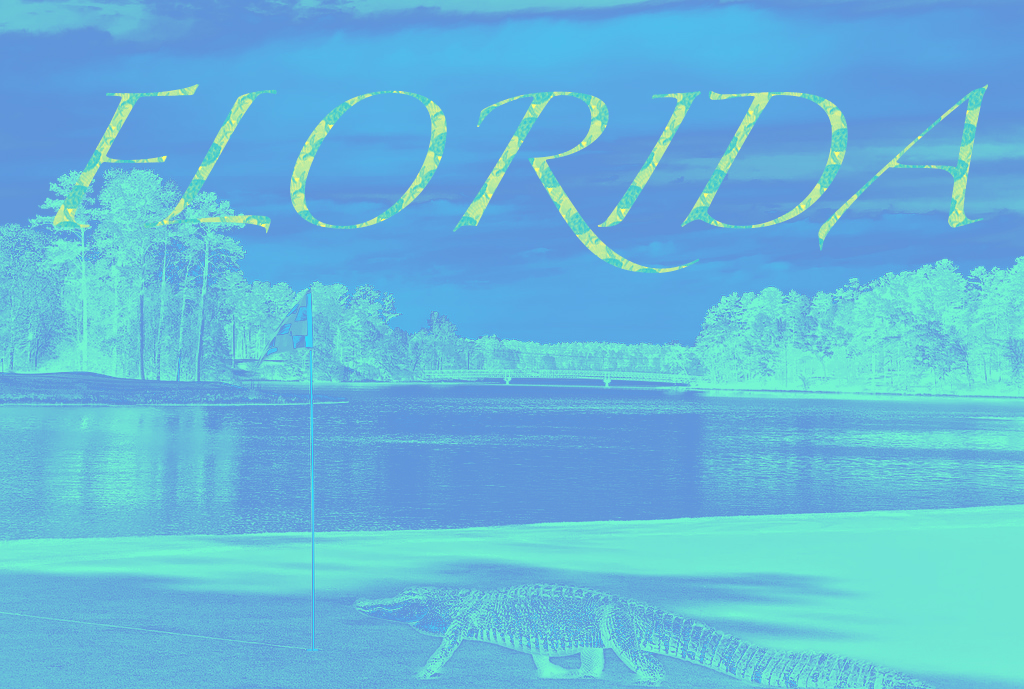
I used a golf course as the starting point for my image composition project. I then added an alligator onto the course, a sight that I found very common on many different courses in Florida. I edited the shadows for the alligator image to match the image of the golf course and added a blue gradient map to create a different color palette. For my text, I modified the font size and overlayed the pattern that I created. For my pattern I used a combination of ocean images, a turtle, a starfish, and a bay scallop shell to stick with the Floridian theme. One of the biggest challenges for my projected was adding the adjustments to the proper layers in the original composition and figuring how to group layers to apply the adjustments to the entire group instead of a single layer.
“PRESERVED_SPECIMEN; ; ; dry; ; Mollusk exhibit 2018; IZ number 1” by E. A. Lazo-Wasem. CC0. Animalia.bio. https://s3.animalia.bio/animals/photos/full/original/aequipecten-irradians-28ypm-iz-10295629.webp
“File:Starfish on a sand beach (Unsplash).jpg” by Pedro Lastra. CC0. Wikimedia. August 16, 2016. https://commons.wikimedia.org/wiki/File:Starfish_on_a_sand_beach_(Unsplash).jpg
“Loggerhead Marinelife Center: Green Sea Turtle” by Karen Parker. CC BY-ND. Flickr. September 2, 2015. https://www.flickr.com/photos/myfwcmedia/page178
“Kiawah Gator” by Cliff N. CC BY. Flickr. August 17, 2015. https://www.flickr.com/photos/cliffniebling/7799940194/


.jpg)
This composition has some nice elements but the color palette makes it difficult to see the details, the gradient overlay would work better with higher contrast between the two gradient colors. As is, the blue and green colors don’t map neatly to different details in the scene which flattens everything out. The text design is a nice start as well, but the color is too close to the background, it’s readable but it doesn’t stand out. Keep in mind that my demos are meant as starting points, your work should introduce original concepts and go beyond the basic demo content.