
When will I receive ASAP Textbook funding?
Active ASAP students who are registered for classes and have filed for financial aid will receive textbook funding each Fall and Spring semester (Funding for Winter and Summer sessions depends on availability.)
For details about this semester’s textbook eligibility and expected disbursement timing, please visit: Spring 2026 Textbook Information
Am I eligible for the ASAP Tuition & Fee Gap Award?
You may be eligible if you:
- Are an active ASAP student
- Are registered full-time
- Have filed your FAFSA and TAP (or TAP via DREAM Act or Alternate Eligibility Path)
- Meet Satisfactory Academic Progress (SAP)
- Have completed all financial aid tasks on your CUNYfirst To-Do List
- Qualify for at least $1 of Pell Grant or TAP
- Have a tuition balance not fully covered by your financial aid
Details:
- The ASAP Scholarship is applied after all other forms of aid are considered, including scholarships and grants.
- Not all students qualify:
- If your total financial aid fully covers your tuition, the ASAP Award is not applicable.
- If you are not in receipt of Pell or TAP, you are not eligible.
- Withdrawing from courses or receiving WN grades may reduce or cancel your award.
- The scholarship cannot be applied to Miscellaneous Bursar fees or balances resulting from an over-refund of aid.
Questions? Review your Financial Aid Award package on CUNfirst or connect with us: ASAP Financial Aid team.
How do I check my financial aid award package?
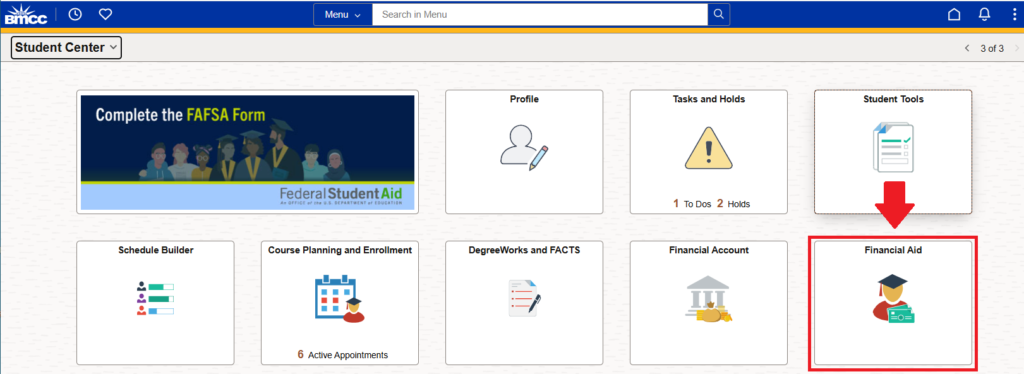
Log into CUNYfirst and navigate to your Student Center. Click on the “Financial Aid” tile:
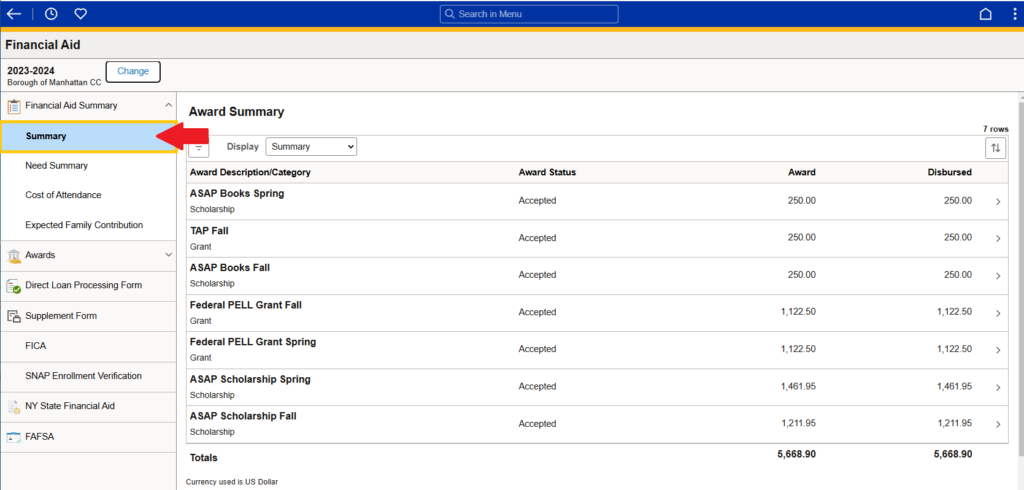
After selecting the correct “Financial Aid Year”, click on “Summary” to view details on your award summary and whether they’ve been disbursed:
How do I know if financial aid has PAID my tuition balance?
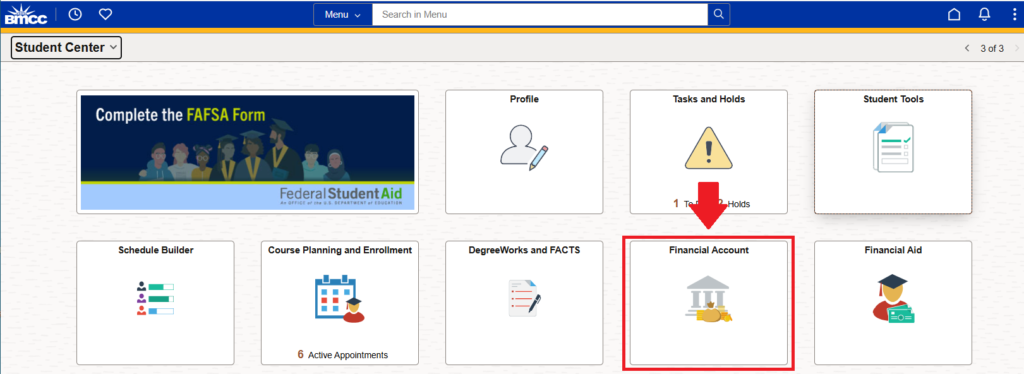
Log into CUNYFirst and navigate to your Student Center. Click on the “Financial Account” tile:
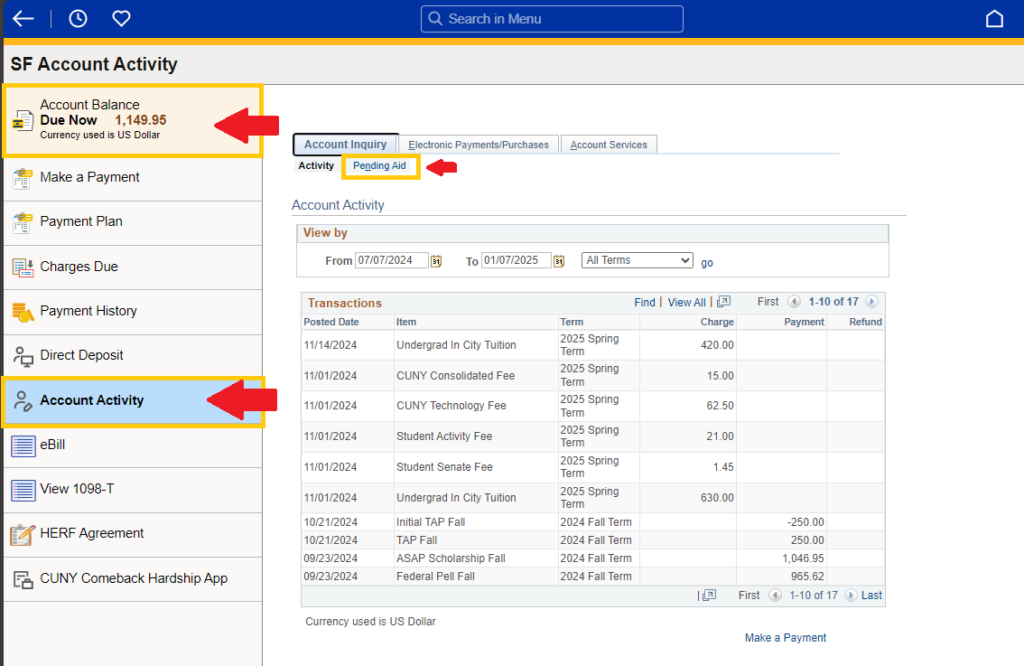
On this page, you can view your “Account Balance: Due Now”. To access your awards that have been authorized for payment (pending aid), click on “Account Activity” sub-tab, then navigate to “Pending Aid”:
How do I view my actual disbursement dates?
Log into CUNYFirst and navigate your Student Center and click on the “Financial Aid” tab:
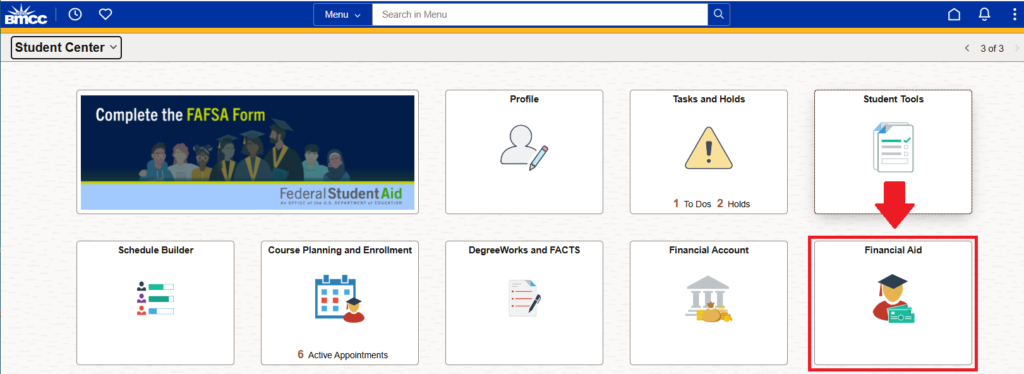
Once your “Financial Aid” tab is open, click on “Awards” which would expand your options and then click on “Disbursements”.
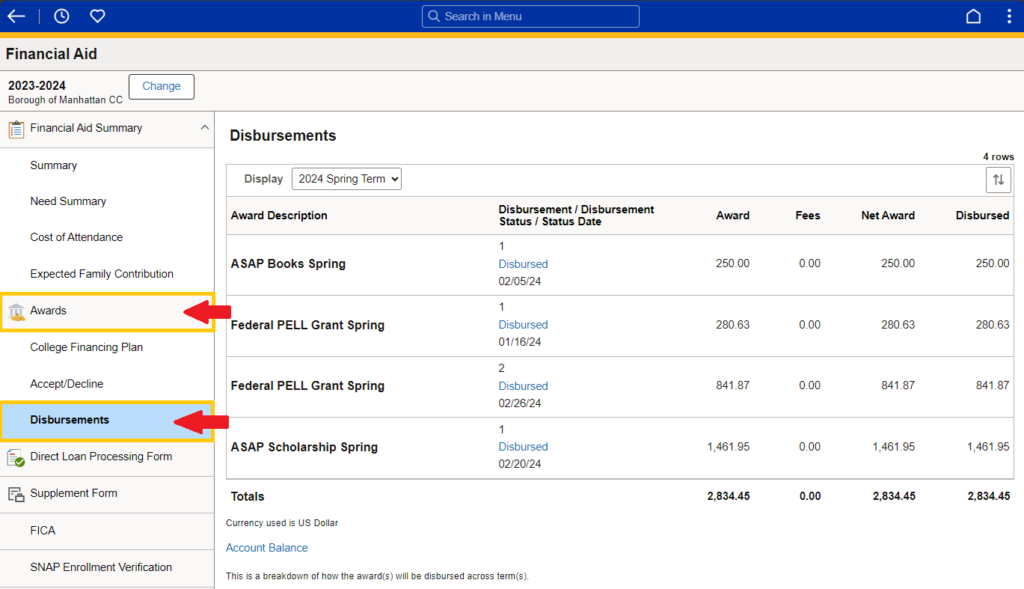
Here you will find if your disbursement has already been applied and if not when it is scheduled to be applied.
What are ‘To Do’ list items on CUNYFirst?
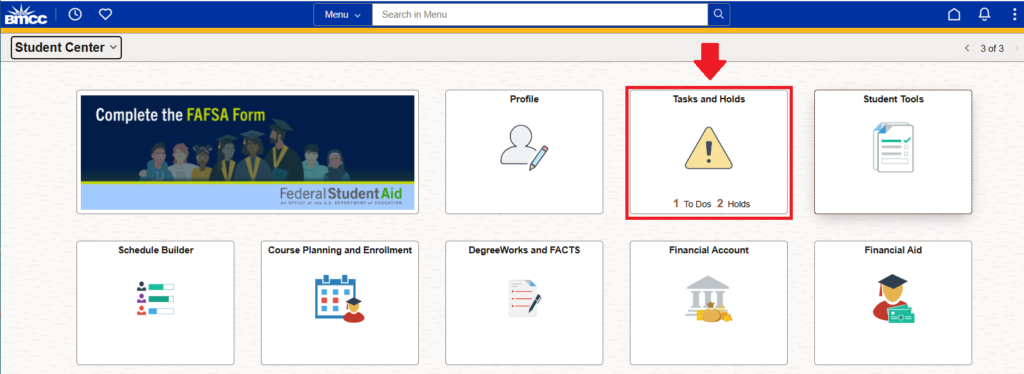
After filing for financial aid online, you may be required to complete additional steps or submit documents to the Office of Financial Aid. Your CUNYfirst To Do list, located in the “Tasks” tile of your Student Center, will alert you of any outstanding requirements.
Click on “To-Do List” and you will find all the tasks and other steps you still need to complete.
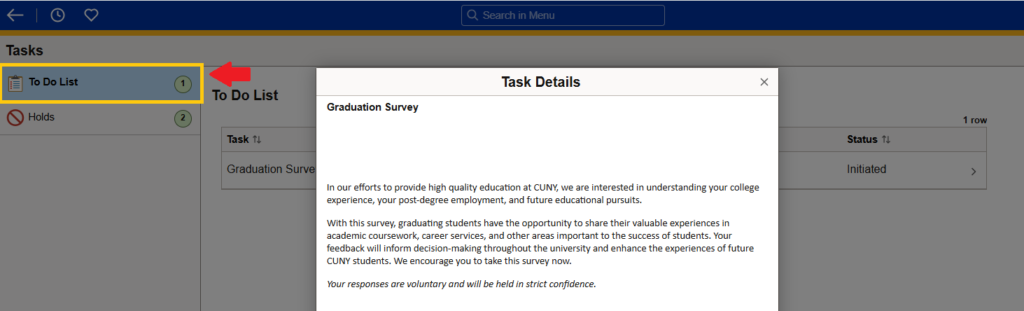
Automated notifications are also sent to your BMCC campus email. Failure to complete important financial aid To Do list items may result in loss of potential financial aid.
How do I maintain eligibility of my financial aid?
- Apply for financial aid every year.
- Be sure to enroll full-time every Fall and Spring semester and attend your classes. If you have any concerns regarding attendance or full-time enrollment, be sure to contact your ASAP Advisor.
- Avoid financial aid suspension by meeting annual Satisfactory Academic Progress standards.
