
Public Domain
Activity 1
Click this link to access “The Lake Isle of Innisfree” on the Poets.org website.
“The Lake Isle of Innisfree” is characterized as a lyric poem .
OER source: https://www.poets.org/poetsorg/poem/lake-isle-innisfree
Creative Commons Attribution-ShareAlike
Activity 2
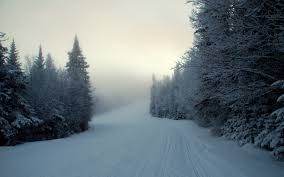
CC0
Click this link for “Stopping by Woods on a Snowy Evening” by Robert Frost.

Public Domain
Activity 3
Click this link to access the poem “My Last Duchess.”
Or visit “My Last Duchess” on the Commonlit website. This is written as a monologue and is an example of a dramatic poem.
Activity 4
Click this link for my video lecture on “My Last Duchess” by Robert Browning.

Public domain
Activity 5
Click this link to access the poem “White Lies” by Natasha Tretheway. This is an example of a narrative poem.
Activity 6
Please read “We Real Cool” and “the mother” by Gwendolyn Brooks.
Activity 7
Click here for a sample of the Japanese style of poetry known as haiku.
Activity 8
Essay 3
Due Sunday, March 29
This assignment is a poetry flyer/presentation rather than a traditional essay.
Click here for Essay 3 Directions.
See resources below:
Click here for poetry flyer grading rubric.

Public Domain
The Poetry Foundation
The American Academy of Poets
How to Find Biographies in BMCC online library
Link to Biography Reference Center
Link to Biography Reference Bank
Click here for How to Find Copyright-Free Images.
Information about copyright licenses and Creative Commons.
Sample of Essay 3 (Poetry flyer)
PDF view of Sample Essay 3 (Poetry flyer)
Or visit Student Work Gallery on the main menu of this Openlab site.
Link to Canva
Guide to MLA citation from the BMCC library.
To submit: Visit the Brightspace homepage and click on the “Essays” module. Then click on Essay 3.
Activity 9
Quiz 6
This Quiz will check your understanding of poetry and the works we have read. It will be available from 9:00 a.m. Monday, March 9 to Sunday, March 15 11:59 p.m. Once the test closes, it will not be available or visible to students.
To access the quiz, please navigate to your Brightspace course. On the “Review Quizzes” module, click “Quiz 6.”
