Module Media Project
FINAL PROJECT
The final project will combine at least three of the skills we learned in the modules this class:
- Audio
- Images
- Animation
- Web Design
You will display your final on the web but if Web Design isn’t one of the modules you’re using, there will be a template provided for you that you can use to embed your project.
story
The story you choose to tell is completely up to you. Pick a topic you are interested in and will enjoy working on for the next few weeks. You can pick something about you, one of your interests, your community or a group you are a part of. Your story doesn’t need to be long or include text – as we’ve learned through the course of the semester, a story can be told through sound, color, shapes, motion etc.
Requirements
For the final there are two parts: Final Project Proposal, and the Final Project
- Project Proposal that contains:
- A Creative Brief
- appropriate sketches outlining what you will make. If it’s an animation include a storyboard, if it’s a web site then sketch the pages (wireframes). Ask Prof Stein if you aren’t sure how to sketch what you’re doing.
- Use the Miro created for each of you that contains the Creative Brief template and space for your sketches. Contact Prof Stein if you don’t know the URL for your Miro.
- This will be submitted and scored separately
- A Final Project that Contains:
- 3 modules skills used: you use skills from three of our five modules. You must do new work. You can’t use the same work from a module project untouched. If you modify, expand or adapt your work that is OK. The five modules are:
- audio,
- images,
- animation,
- web design
- Project is on GitHub Pages (if your project is not a web site you will get a template to help get it up).
- a zip folder with all of the files used to create the project (see Turning it In below for more information)
- I can’t tell if you did work on each module if you don’t include the files used to create the work from each module.
- A Final Project Statement that describes your project. This is separate from the proposal. It is like the project descriptions we have done so for but this one will be longer. Your Statement should include:
- 3 modules skills used: you use skills from three of our five modules. You must do new work. You can’t use the same work from a module project untouched. If you modify, expand or adapt your work that is OK. The five modules are:
- Extra Credit: Create a Blog Post about your final.
- This will be a post on this class web site and it will have
- The title of your Project
- A screenshot of the project
- A description of the project
- A link to the web page for the project.
- This will be a post on this class web site and it will have
Turning it in
There are two parts to submitting the project:
- Upload the files used to create the project.
- Display the Final on the web using GitHub Pages
Part 1: Upload the files used to create the project.
Like our other projects, I need to be able to see all of the original project files used to create your final. To submit this you will create a folder with all of your files with the following folders. NOTE there are some differences depending on the type of project that you’re submitting. Ask me if you have any questions or get confused about what files and folders you need.
05_Final(main folder for project)
- Project Description
- Project Files folder
- Audacity files (if used)
- Photoshop files (if used)
- Illustrator files (if used)
- After Effects files (if used)
- Source Files folder
- sounds you downloaded or recorded
- images you downloaded or took
- video you downloaded or shot
- Output Files folder
- .mp3 or .wav sound files exported from Audacity (if used)
- .jpg or .png or .svg image files exported from Photoshop or Illustrator (if used)
- .mp4 video files rendered from After Effects (if used)
- Web Project Folder
- index.html (must be your home page)
- any other .html files
- styles.css
- images folder: with any images used in your web site
- media folder: with any video or audio files you used in your web site.
Part 2: Display the Final on the web using GitHub Pages
See Project is on GitHub above for more information on tempaltes that will help you to create the files. After you have created your files and saved them on GitHub
View the Publishing on GitHub Pages guide for more information.

Setup and Materials
software
What you use will depend in which elements you include in your project. However they will need to be put on the web so you will at least need:
- Replit Sign in using your GitHub account: https://replit.com/
- There is now a mobile app that you can also use in a pinch but it’s easier on a computer with a keyboard.
- GitHub Account: https://github.com You have an account on this. For those interested in using GitHub Pages for the final, we will cover that in one of the classes before the final.

Tutorials and Resources
Start with all of the resources from the five modules. Prof Stein will include additional resources in response to your questions, issues etc.
Please feel free to suggest resources that helped you.
Final Project Posts

Web Design Video Tutorials
The videos below walk through how to create your project and how to add the…

Publishing on GitHub Pages
On GitHub, navigate to your site’s repository. Under your repository name, click Settings. If you cannot…
CSS for Images and Video
Basic Responsive Image and Video The following CSS will allow img and video elements to…
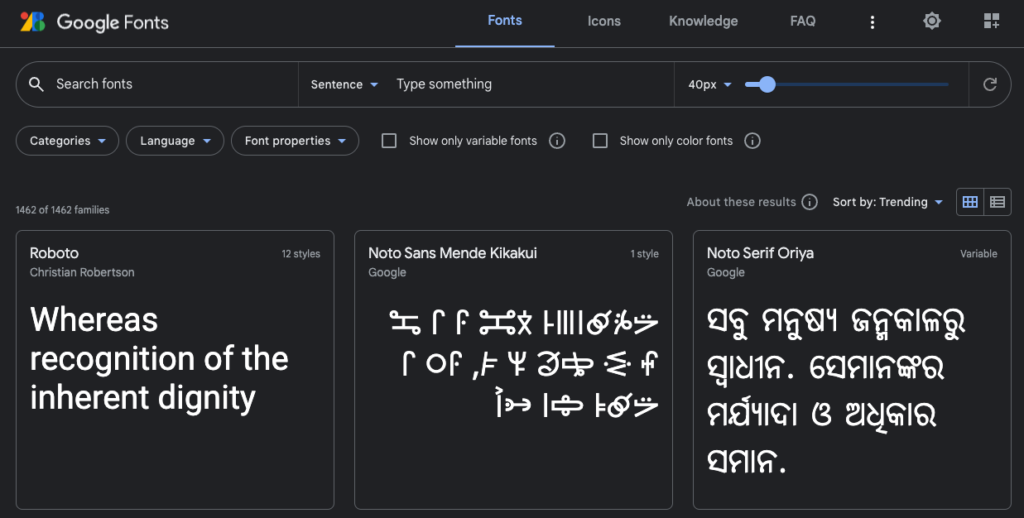
Using Google Web Fonts
Google has a large number of fonts you can use in your project for free….

CSS Basics
CSS is how you control the way a web site looks. How to Include CSS…

Where to Find Free Licensed Sound Files
When you use a sound file for your project, the creator must give you explicit…

Where to find free images
When you use an image on a web site, you must obey copyright law and…
