Final Course Completion Information – Weeks #14 & 15
Dear MMA 235 Students,
The end of the semester is upon us…
Here is the final semester wrap up and course completion information in advance:
Please read this information carefully and mark your calendars accordingly.
Please reach out with any questions here – rseslow@bmcc.cuny.edu
Wednesday December 3rd – Semester wrap up discussion, this will be a full working lab session / class time will recap assignment #3 and printing your editorial projects (if you wish).
2. Wednesday December 10th – this will be our last regular class / lab working session. We will use this class session to discuss and share a demonstration on how you can create a final portfolio with Adobe Illustrator (saved as a single file PDF) the portfolio will display and organize all of your completed works. The final portfolio is mandatory- I will also show you how to organize your google drive assignment folders (as a review) as well.
Class recording from 12/10/25 – Assignment 4 – Final Portfolio Tutorial – Adobe Illustrator,
3. Wednesday December 17th – from 10am – 12pm (final exams week) if you wish, you may come into class and present your final portfolio – this is our last and final meeting for the semester – It is not mandatory to present your final portfolio to the class – but highly encouraged – please join us! You can choose to show your work on the big screen!
****All students will need to have all completed work added to their folders in our google drive folder no later than Friday 12/19 at 6pm.
***Submitting all of your completed assignments& final portfolio– I know I have mentioned this many many times through out the semester, but all student work needs to be submitted via our shared Google Drive Folder – the link to the shared folder is located on our class’s Brightspace page- You must share all of your production files that include the adobe photoshop files – .psd and all illustrator files – .ai – you can also share any . JPG files and your illustrator work as PDF files.
Please reach out with any questions here – rseslow@bmcc.cuny.edu
Assignment #1 – let us discuss – and get familiar with our class this week.
Designing for Impact: Creating a Social Issue Awareness Poster
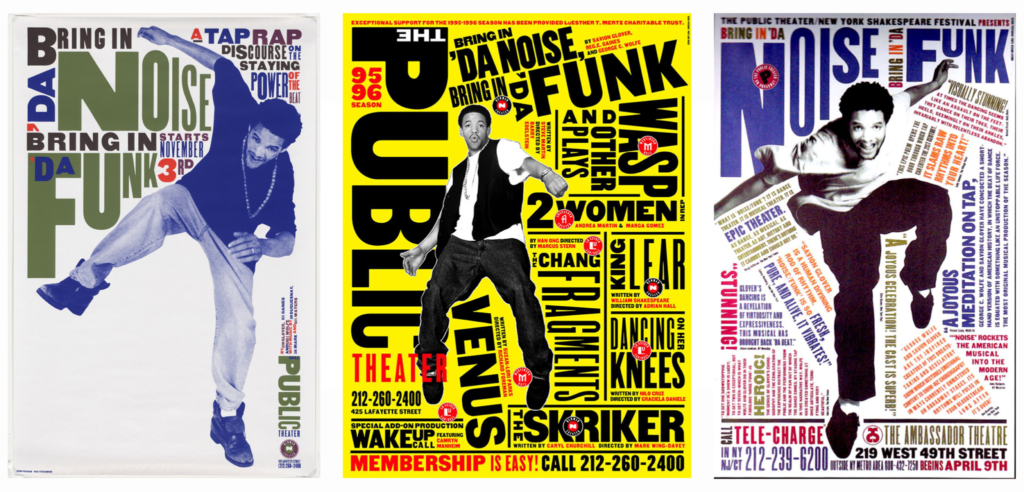
Posters have long been a powerful tool for social change, used to educate, inspire, and provoke action. Whether addressing climate change, mental health awareness, or equality, graphic designers play a crucial role in shaping public discourse through visual communication.
Let us explore how to create an impactful social issue awareness poster, drawing inspiration from historical design movements and modern examples.
The Power of Posters in Social Movements
From wartime propaganda to contemporary activism, posters have been central to mobilizing change. Some of the most influential social posters include:
• Black/White: Stark contrast for powerful, minimal designs
3. Digital Draft: Bringing It to Life
Use Adobe Illustrator, Photoshop, (or draw by hand, useProcreate, sketchbook or adobe fresco) to create a digital draft. Test different compositions, focusing on:
✅ Visual Hierarchy: The most important element should grab attention first.
✅ Alignment & Spacing: Avoid clutter—let your design breathe.
✅ Contrast & Readability: Ensure text is legible from a distance.
4. Feedback & Refinement: Test Your Design
Before finalizing,
Ask:
• Does the message come across clearly?
• Is the color scheme effective?
• Does the typography enhance or distract from the message?
5. Final Execution: Polish & Prepare for Print
Once refined, export your poster from Adobe Illustrator as a high-resolution (300 DPI) PDF with proper CMYK color settings for print. I will also show you how to export a .JPG file.
Mockups Matter!
Present your work using real-world mockups (e.g., posters on a subway wall, billboards, or community boards) to show its impact.
Your social issue awareness poster has the potential to make an impact beyond the classroom. Whether exhibited in a gallery, shared on social media, or printed for protests, design can drive change.